A card photo becomes a person while the card is still in your hand
Marrow reads the card into a person: name, role, company, email, each phone with its label, website and address, with a QR code taking precedence over the print. It tells you what it saved, asks when it is unsure, and keeps a cleaned copy of the photo for 30 days so the chat can show it, then deletes it.
You photograph a card, and a moment later there is a person in your record. This is each step in between: what Marrow reads, what it asks and what it keeps. Marrow is in Beta, so a crumpled or very glossy card can need a second photo.
Send the photo from the chat
Tap the camera button to take a photo, or tap the plus button and choose “Choose photos” to pick from your library. One message can carry up to 20 photos, as JPEG, PNG or WebP files of up to 10 MB each. Each photo counts against your plan’s photo allowance.
A conference badge counts as a card. A photo of several cards makes each card its own person. The camera opens when you choose to send a picture, and not before.
Marrow reads the card into fields
| On the card | Where it lands in Marrow |
|---|---|
| Name | The person’s full name |
| Title | Role |
| Company | Company |
| Phone numbers | Each phone, with its label, such as mobile or office |
| Website, address, PO box, city | The matching fields in the person’s details |
| A QR code | Read, and preferred over the print where the two differ |
| Text in Arabic, with no Latin version | Stored in Arabic, as printed |
It asks when it is unsure
When Marrow’s confidence is low, it asks instead of guessing, for example: “I could not read that properly. Is the name Benedikt Aurell?” You answer yes, or type the right spelling, and the person is saved as you confirmed.
The reply says what was saved
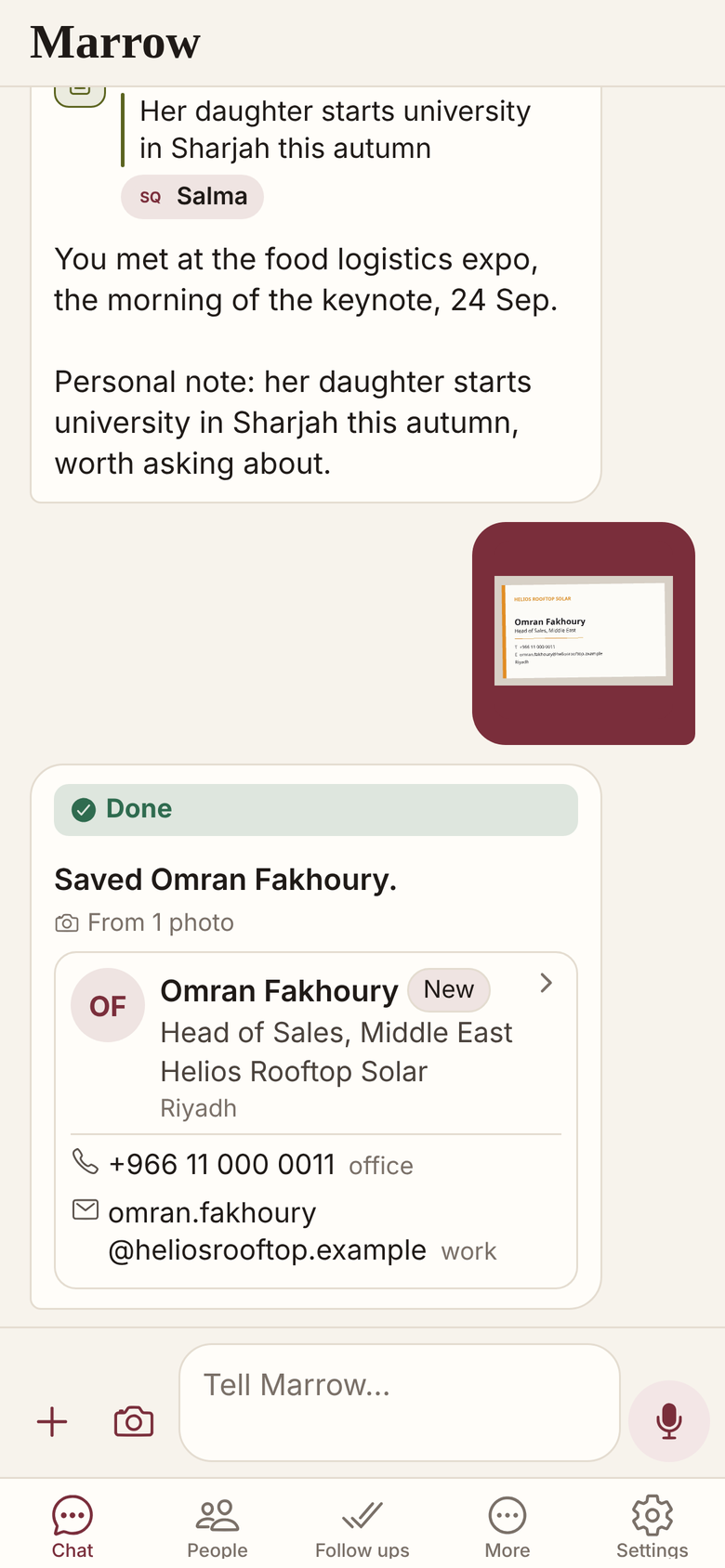
The reply lists what Marrow saved, so you can check it against the card in your hand. It ends with an offer: “Enrich Omran Fakhoury from their public profile?” No person is looked up unless you ask, except a profile link you give Marrow with one person or a few, which it reads straight away and counts as a lookup (switch this off in Settings). Each lookup counts against your plan. How lookups work has its own post.
A caption on the photo, such as where you met or what you promised, is read with the card, so the person, the context and the follow up are filed from one message. After several cards, Marrow asks which of them to look up, so a stack of cards does not spend a stack of lookups.
What is kept and what is deleted
| What | What happens to it |
|---|---|
| The fields read from the card | Saved on the person, and editable in the person’s editor |
| The photo itself | A cleaned copy, re-encoded without location or camera data, is kept for 30 days so the chat can show it, then deleted |
| The card image on the person | Not attached. The person holds the details, not the picture |
| Your phone’s contacts | Untouched, unless you switch on “Marrow writes new people to this phone” in Settings; then the new person is added, after asking you unless you chose automatic |
What a filed person holds
- Name, role and company, with Call and Email buttons.
- Enrich, which asks for a lookup of the public profile.
- Open follow ups, each with Done and Snooze.
- Notes, the timeline and the details the card held.
Who this suits, and who it does not
If you want the card image kept on the contact as a scanned archive, Marrow does not do that. If you collect cards and do not want to record anything about the people, a plain card scanner may be enough.
Related
Get Marrow on your phone.
Install the app, sign in with your email, and send it the last business card you are still carrying. Marrow is in Beta.