New people land in your phone's contacts
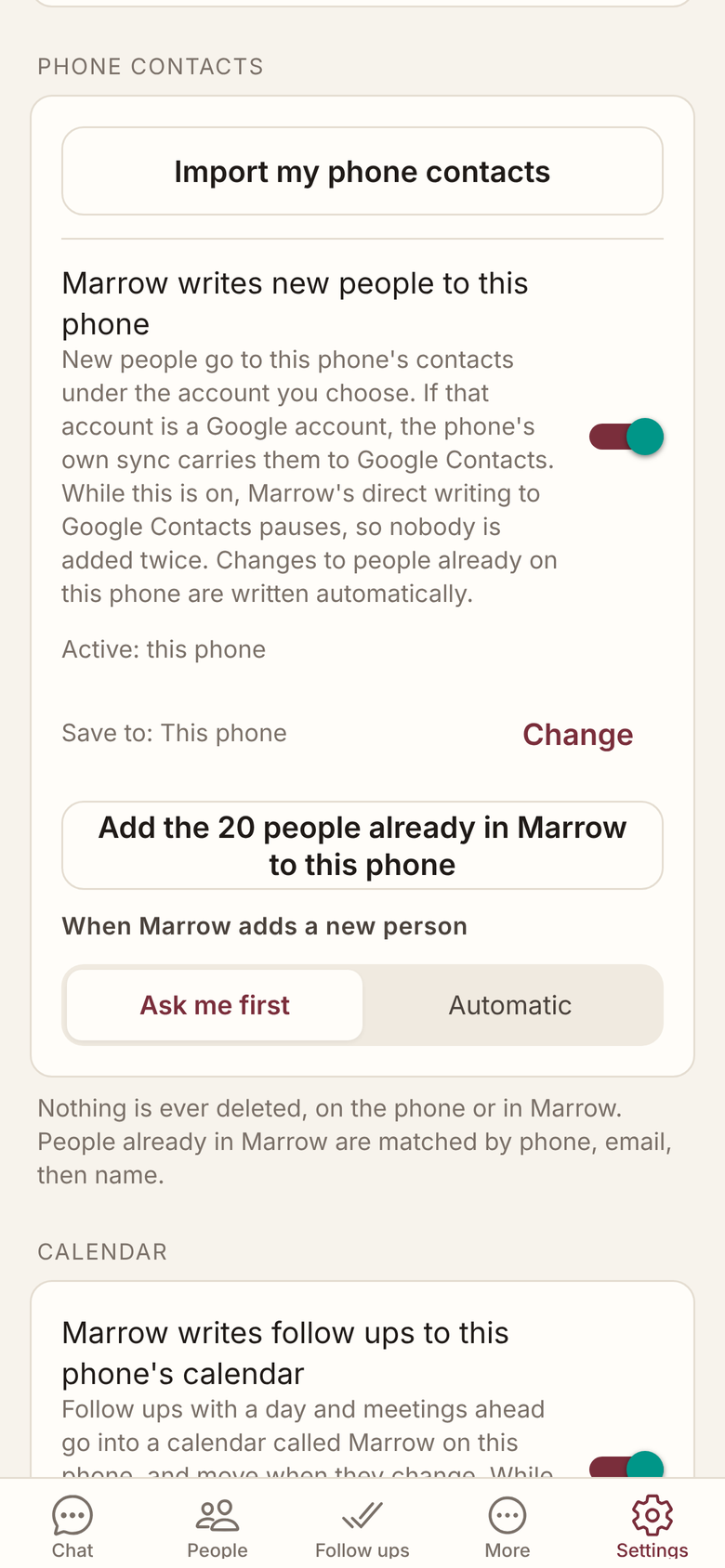
Switch on "Marrow writes new people to this phone" in Settings. The people Marrow creates go to your phone's contacts with every number and email and its label, after asking you first unless you choose automatic.
Added with every number and email
Switch on the writer in Settings, and the people Marrow creates go to your contacts, asking first or automatically.
- Every number and email, each with its label.
- More than one contacts account? The first write asks which.
- A button adds the people already in Marrow.
- Off by default, until you switch it on.
Kept current, never deleted
New numbers, emails and links reach the phone; a new title or company, unless you typed your own.
- Marrow does not remove or delete a contact.
- In ask mode, each update waits for your OK.
Your phone’s contacts, read once
Import my phone contacts matches people by phone, email, then name, fills empty fields and adds the rest.
- Nothing is deleted, on the phone or in Marrow.
- In Beta: check what an import matched.
Related
Get Marrow on your phone.
Install the app, sign in with your email, and send it the last business card you are still carrying. Marrow is in Beta.